DOCUMENTS
Information arrives in unstructured form.
Extract, classify, summarize, compare, and route information from documents, messages, forms, and records.
LogicAide combines AI, deterministic software, business rules, data, integrations, and human review to build intelligent systems that reduce repetitive work and make complex information easier to use.
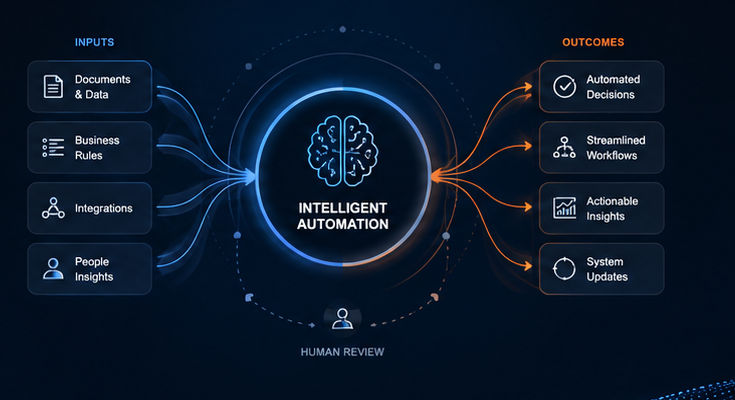
AI becomes valuable when it can interpret information, assist users, reduce repetitive analysis, or help route decisions inside a larger software workflow.
Extract, classify, summarize, compare, and route information from documents, messages, forms, and records.
Assistants can retrieve context, explain procedures, draft work, and guide users through complex internal information.
Combine models, rules, retrieval, data, confidence thresholds, and human review where judgment matters.
The strongest implementations connect intelligence to users, data, software, permissions, and actions that already matter to the business.
Turn documents and text-heavy inputs into structured information that can feed real workflows.
Help users search, retrieve, explain, draft, and navigate company knowledge and systems.
Combine model output with rules, business context, and evidence to support better decisions.
Trigger actions, route work, create summaries, update systems, and escalate exceptions.
Design approval points, confidence thresholds, traceability, and review where judgment is still required.
Connect model services with APIs, databases, applications, portals, and operational workflows.
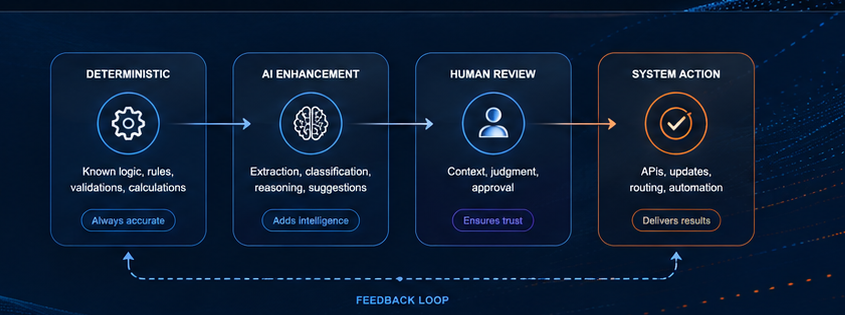
Good architecture makes the boundary explicit: deterministic rules where correctness is known, AI where interpretation or generation helps, and human review where judgment matters.
Connect intelligence to workflows, integrations, dashboards, recommendations, and system actions—not just a chatbot window.

Documents, messages, requests, and records are classified or summarized.
Model output is checked against policy, data, confidence, and workflow conditions.
Users see the relevant context and can approve, correct, or reject recommendations.
Approved results can update systems, route work, create records, or trigger downstream processes.
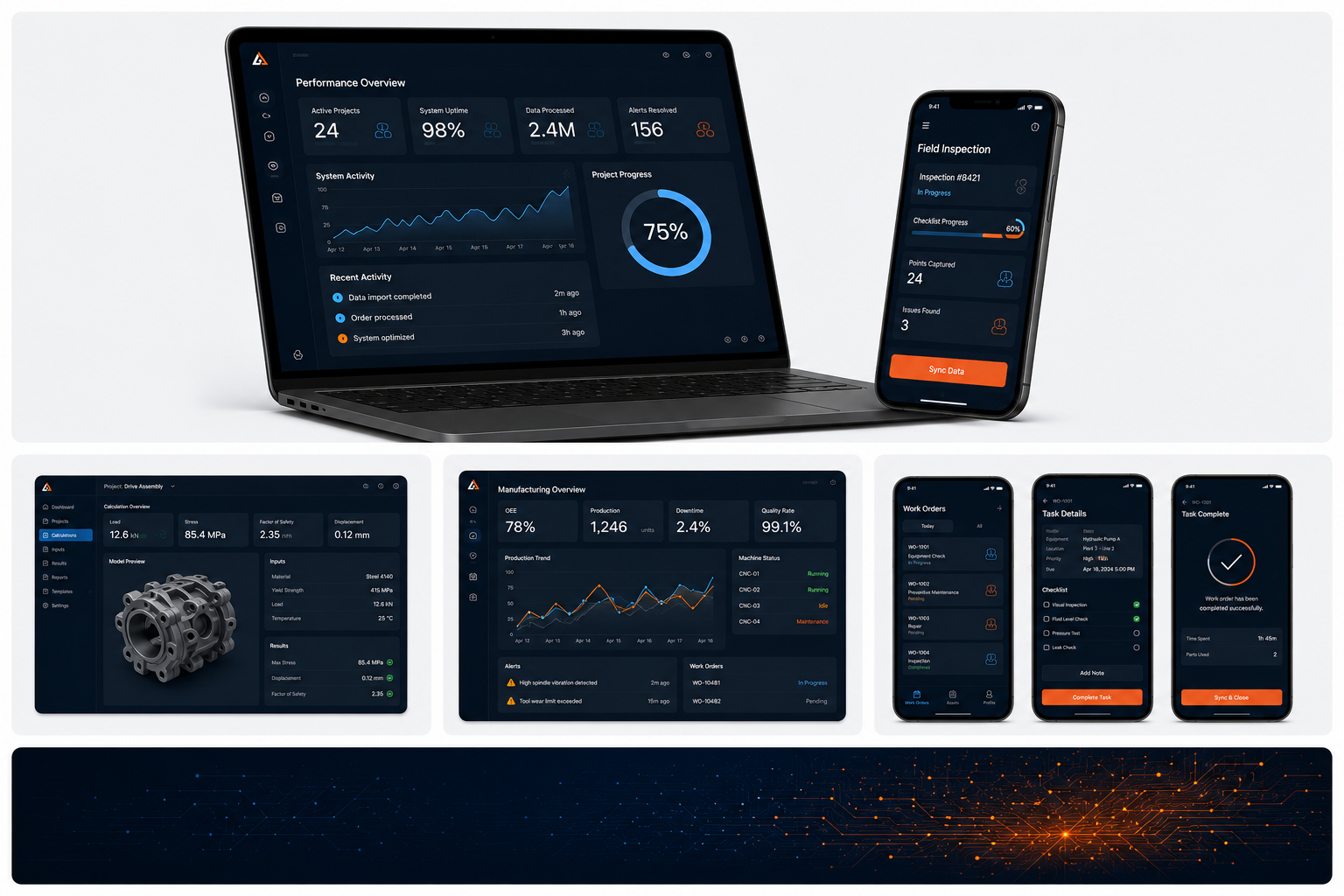
Authentication, data access, retrieval, permissions, context, logging, review interfaces, integrations, and operational software determine whether an AI capability becomes useful in production.
Identify repetitive analysis, information bottlenecks, decision points, and manual handoffs.
Define what should be deterministic, what benefits from AI, and where review belongs.
Models, retrieval, APIs, data, permissions, UI, workflow, and system actions.
Accuracy, consistency, confidence, edge cases, user review, and safe fallbacks.
Refine prompts, retrieval, rules, UX, automation boundaries, and workflow behavior over time.
No. Many workflows are better handled with deterministic rules or conventional software. AI should be used where interpretation, generation, retrieval, or pattern recognition adds real value.
Yes. Human review, approval, confidence thresholds, and escalation paths can be designed into the workflow.
Yes, depending on the architecture, data access, permissions, security requirements, and the model or service being used.
Yes. AI services can often be added to existing software through APIs, retrieval layers, workflow services, and user-interface changes.
The best solution may combine software, rules, AI, and people.