FIELD DATA
Capture information where it is created.
Forms, measurements, notes, photos, signatures, and status become part of the system immediately.
LogicAide builds mobile applications for field teams, technicians, operators, customers, and specialized workflows that need reliable access to tasks, data, forms, photos, records, and connected systems anywhere the work happens.
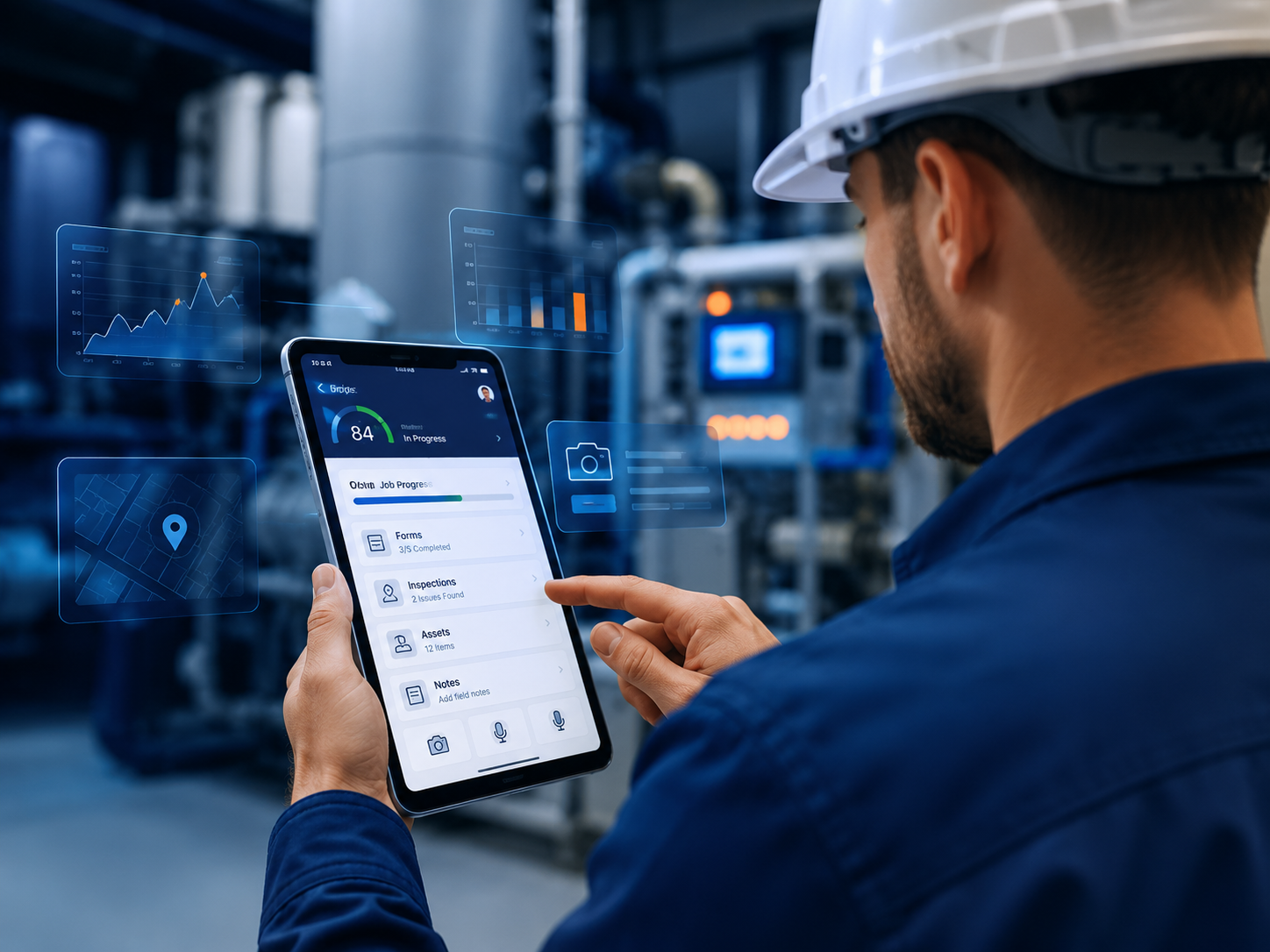
Mobile software is most useful when the work is distributed, time-sensitive, visual, location-dependent, or performed in environments where a desktop process creates friction.
Forms, measurements, notes, photos, signatures, and status become part of the system immediately.
Assignments, status, records, and updates move through one connected process instead of separate channels.
Mobile UX should reflect real operating conditions, not merely shrink a desktop interface.
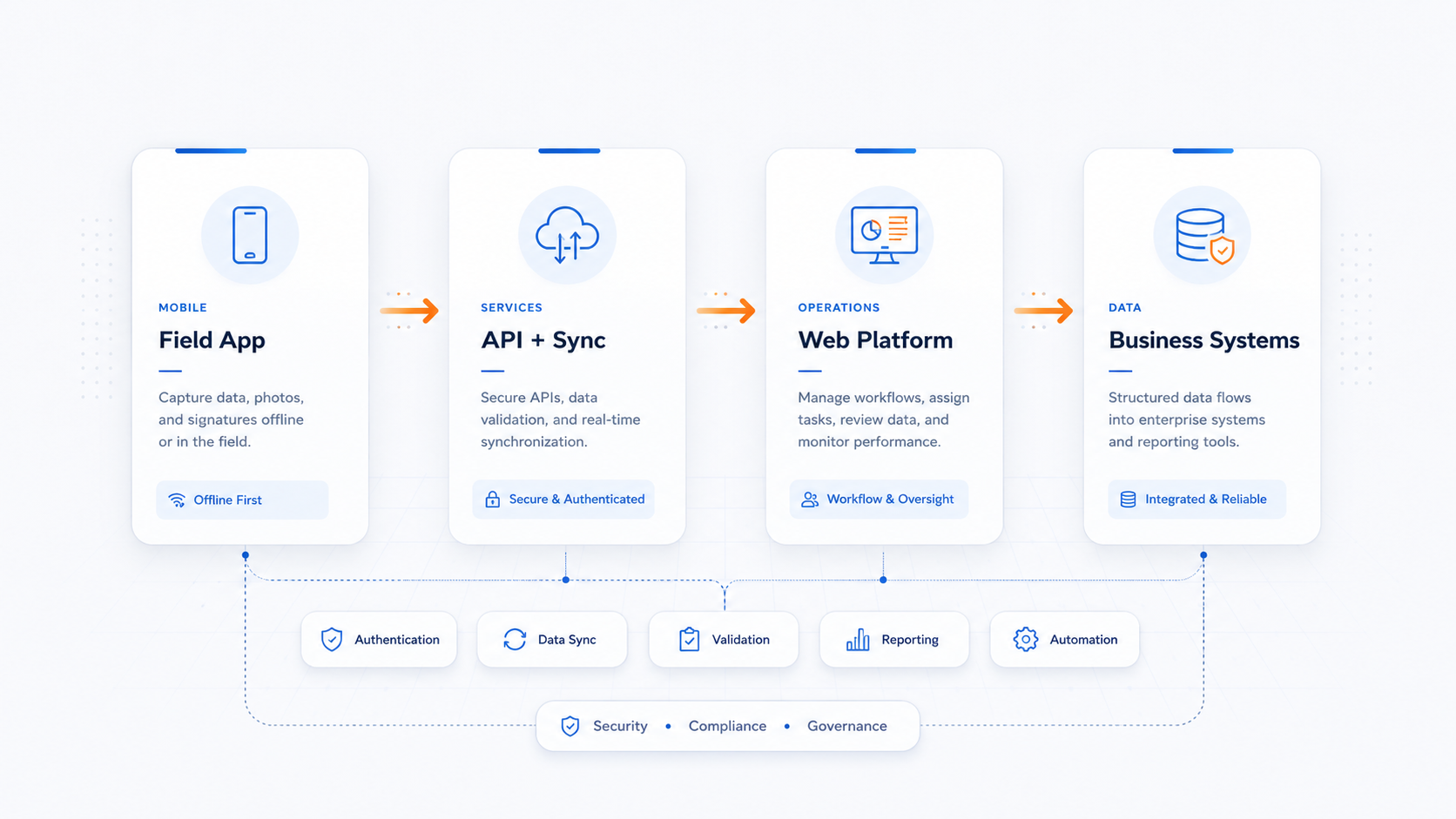
We design the entire mobile workflow—from the device experience to APIs, data, permissions, synchronization, and the operational tools behind it.
Assignments, service history, forms, photos, status, signatures, and closeout.
Structured inputs, validation, evidence, timestamps, and repeatable records.
Requests, account access, notifications, records, documents, and communication.
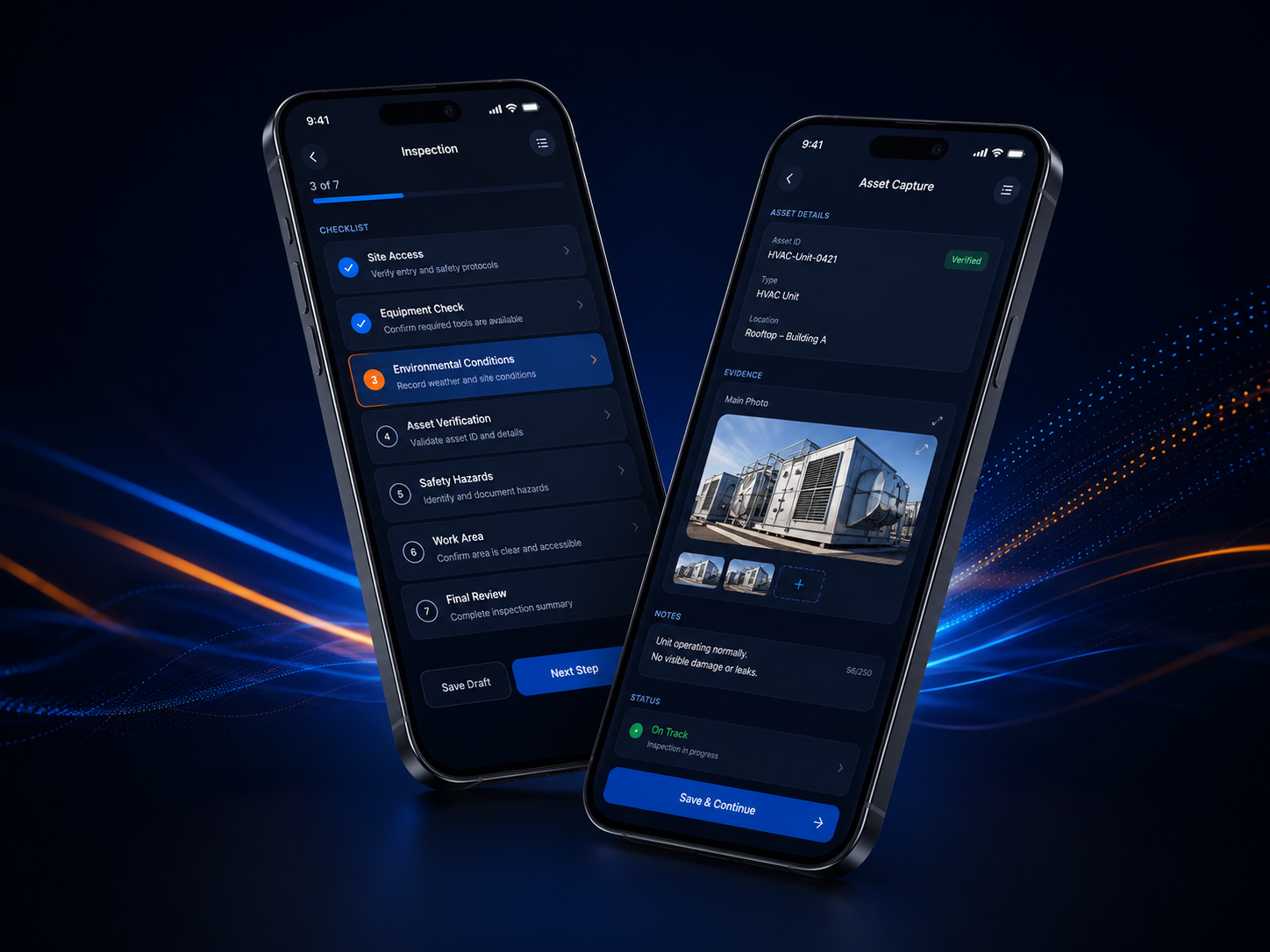
Continue work locally and synchronize when connectivity becomes available.
Camera, files, notifications, barcode/QR, and location-aware logic when appropriate.
APIs, portals, databases, authentication, cloud services, and operations platforms.
A useful mobile application is shaped by the actual field conditions: connectivity, lighting, urgency, one-handed use, repeated tasks, photos, scanning, and the need to complete work quickly without losing data.
Most valuable mobile products depend on backend services, authentication, APIs, data synchronization, administrative tools, reporting, and web-based operations systems.
Connect technicians, assignments, evidence, status, and service records directly with the operational system.
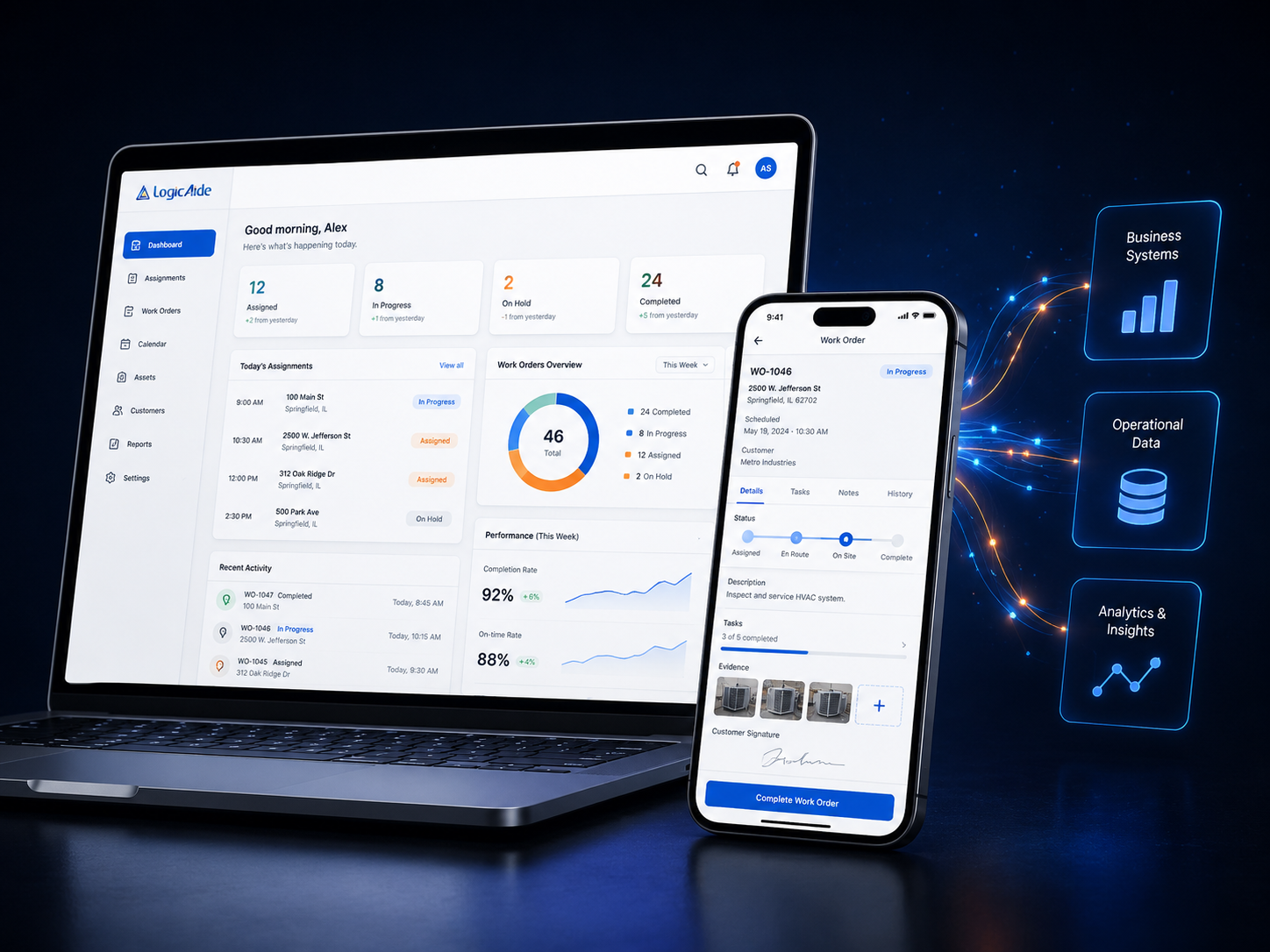
Technicians see the job, history, location, records, and required steps in one place.
Photos, measurements, notes, signatures, and timestamps become part of the record.
Updates move into dashboards and workflows without waiting for manual re-entry.
Completed work can trigger reports, customer communication, and downstream processes.
Users, devices, connectivity, field conditions, workflow, and operational constraints.
Task flow, navigation, forms, feedback, states, and mobile-specific behavior.
Application logic, APIs, data synchronization, authentication, and system integration.
Devices, connectivity, usability, data integrity, edge cases, and deployment behavior.
Refine the product as field behavior, user needs, and business requirements become clearer.
That depends on the workflow, device features, offline requirements, performance needs, frequency of use, and distribution model.
Yes. APIs and backend services can connect mobile applications to existing databases, web applications, cloud services, and business systems.
Some applications can store work locally and synchronize when connectivity becomes available.
Yes. That is common when field users need a mobile workflow and office users need management, reporting, configuration, or administration.
We can design the mobile experience and the connected system behind it.